Import Culture: Layer Object Properties Select Intervals
The Select Intervals dialog box is used to quickly define the display settings for your layer, and fill in the table of values on the Point Properties page of the wizard.
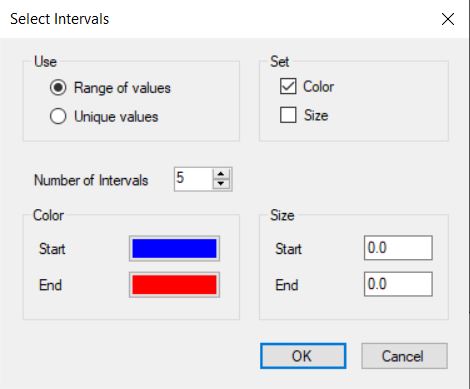
Use
Specify whether display properties will be assigned for values that fall within a specific range, or for each individual value.
Range of Values: Use this to assign the same properties to all of the objects that fall within a range of values. When you pick this option, you will also need to specify the number of intervals, and pick colors and/or size ranges.
Number of Intervals: Specify the number of equal intervals to split the data into, based on the minimum and maximum data values in the file.
Unique Values: Use this to assign different properties to every object in a layer, unless the field values match exactly.
Set
Determine whether you are going to apply different color and/or size attributes based on the values in the file.
Color: Apply different colors to the objects in the layer based on the value in the selected field. Select a Start and End color.
Size: Apply
different sized to the objects in the layer based on the value in the
selected field. Enter a Start and End size in the units specified on
the Point Properties page of the wizard.
— MORE INFORMATION

|
Copyright © 2020 | SeisWare International Inc. | All rights reserved |